LIQUIDWAVE for Mac · Guides
A visualizer for Tidal, SoundCloud and YouTube on your Mac.
Updated 15 September 2026
Tidal, SoundCloud and YouTube play in an app or a browser tab, and LIQUIDWAVE listens to whichever one your Mac is playing. It draws the music live, in forty scenes: in its window, full screen, behind your desktop icons, or across every screen when you step away. There is no sign-in and nothing to set up inside the service, and the download is free.
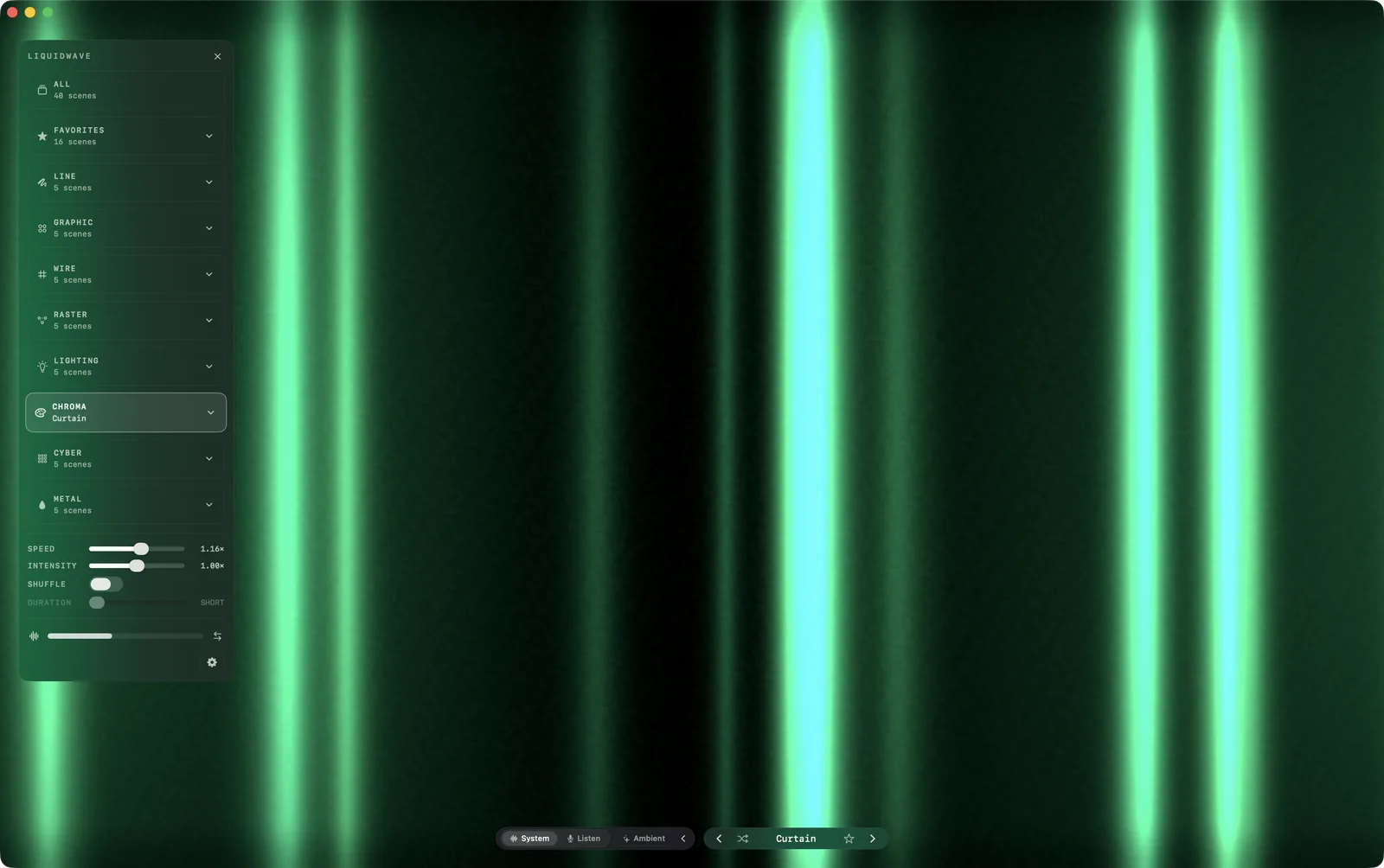
One source for every service
LIQUIDWAVE doesn't sign in to Tidal, SoundCloud or YouTube. It listens to the audio your Mac is playing, through the system-audio capture built into macOS since version 14.2. That takes in the Tidal desktop app, a Tidal or SoundCloud tab in any browser, a YouTube video and anything else the Mac plays, all through the same source.
Leave the source switch at the bottom of the window on System. There are no virtual audio drivers to install, and macOS asks once for permission to record system audio. The sound is analyzed on your Mac as it arrives, and nothing is recorded or uploaded.

System hears each player after its own volume slider, so a tab turned down arrives quiet. LIQUIDWAVE runs the capture through a leveler that lifts quiet playback by up to 40 times before the analysis sees it, and never lowers a loud stream.
Full screen for SoundCloud and YouTube
Keep the music playing in its tab and give the display to LIQUIDWAVE. Press ⌃⌘F in its window for full screen. The on-screen controls appear when you move the mouse and fade out four seconds after it stops, which leaves the picture on its own. ← and → change the scene, and ↑ and ↓ change the style.
The forty scenes come in eight styles, from waveforms and contour lines to stage lights, neon grids and liquid chrome. Wave is always free, and the first time you open the app you pick one more of the other thirty-nine, also free and with no time limit.
Beyond the window
Desktop Mode plays the visualizer behind your desktop icons while the browser sits in a window on top. When you're away fills every screen once the Mac has been left alone, and clears on the next key press or mouse move. Both live in Settings → Desktop and stay off until you turn them on.
What the island reads from a tab
On a MacBook with a notch, LIQUIDWAVE's Now Playing island shows the song below it. For Tidal and SoundCloud it reads the browser tab, on tidal.com, listen.tidal.com and soundcloud.com, in Safari, Chrome, Arc, Brave, Edge, Vivaldi or Opera. Include browser tabs in Settings → General → Now Playing turns this on and off, and it starts on.
A browser is only consulted while it is the one making sound, so a tab left open in the background can't claim the island. Reading tabs needs Automation access, which macOS asks for once per browser. The island offers a button with your browser's name, such as Connect Chrome…, and Settings lists each running browser with a Connect button of its own. Until then, the island says only Playing in Chrome, or in whichever browser is playing.
What it shows depends on the site:
- Tidal: the track as the tab titles it, kept whole rather than guessed apart into song and artist.
- SoundCloud: the song and the artist, split where the tab's title reads "by".
- YouTube and YouTube Music: in Chrome and the other Chromium browsers, the island reads the page itself. A YouTube video shows its title, channel, time and thumbnail, with previous, play/pause and next. Chrome keeps this off until you turn on View → Developer → Allow JavaScript from Apple Events.
A Tidal or SoundCloud track gets a cover looked up in Apple's music catalog, when the catalog has one, and no progress bar or playback controls.
What it doesn't do
The island doesn't read the Tidal desktop app. It reads Spotify, the Music app and browser tabs, and nothing else. The visualizer still hears the Tidal app through System. For the track under the notch as well, play Tidal in a browser tab.
Web players give the island less than YouTube. A Tidal or SoundCloud tab brings a title, not the time or the controls. With a Tidal tab and a SoundCloud tab open in the same browser, the island can't tell which one is playing and shows only which browser is. In Safari, a YouTube tab shows only that Safari is playing.
It hears everything the Mac plays. System is one mix, and there is no setting that limits it to one app or tab. Pause the video in the other tab when you want Tidal on its own.
Some protected content may not be available for capture. If the scene stays still while a stream plays, switch the source to Listen. Listen Mode hears the room through the microphone, so it works with anything your speakers are playing, though not with headphones.
The island needs a notch. On a Mac without one, the same track appears as a row in LIQUIDWAVE's sidebar. When an app goes full screen, the menu bar hides and the island steps aside with it.
Set it up
- Download LIQUIDWAVE and drag it to your Applications folder.
- Open it and allow system audio recording when macOS asks.
- Play Tidal, SoundCloud or YouTube. Leave the source on System, and press ⌃⌘F for full screen.
macOS 14.2 or later · notarized by Apple · free
Questions
- Does LIQUIDWAVE work with the Tidal desktop app?
- The visualizer does, because System hears every app and browser tab your Mac plays. The Now Playing island reads only Spotify, the Music app and browser tabs, so play Tidal in a browser when you want the track under the notch too.
- How do I show SoundCloud full screen?
- Play SoundCloud in a browser tab, leave LIQUIDWAVE's source on System and press ⌃⌘F in LIQUIDWAVE's window. The on-screen controls fade out four seconds after the mouse stops.
- Do I need to sign in to Tidal, SoundCloud or YouTube?
- No. LIQUIDWAVE listens to your Mac's audio output, so it never asks for a login to any service.
- Why does the scene stay still while a stream plays?
- The capture is hearing silence. Allow LIQUIDWAVE under Screen & System Audio Recording in System Settings → Privacy & Security, then press Retry on the lock badge in the window's corner. Some protected content may not be available for capture, and Listen Mode hears anything your speakers play.
- Is LIQUIDWAVE free?
- The download is free and includes two scenes, Wave and one you pick, with no time limit. One purchase inside the app unlocks the rest.