LIQUIDWAVE for Mac · Guides
A visualizer for Spotify on your Mac.
Updated 15 September 2026
Spotify's apps don't come with a visualizer. The desktop app, the web player and the phone apps play the music without drawing it, and Canvas, the short loop some artists attach to a track, is a video that looks the same whether the song is quiet or loud. LIQUIDWAVE fills that gap on the Mac: it listens to what Spotify is playing and draws it, live, in forty scenes. The download is free.
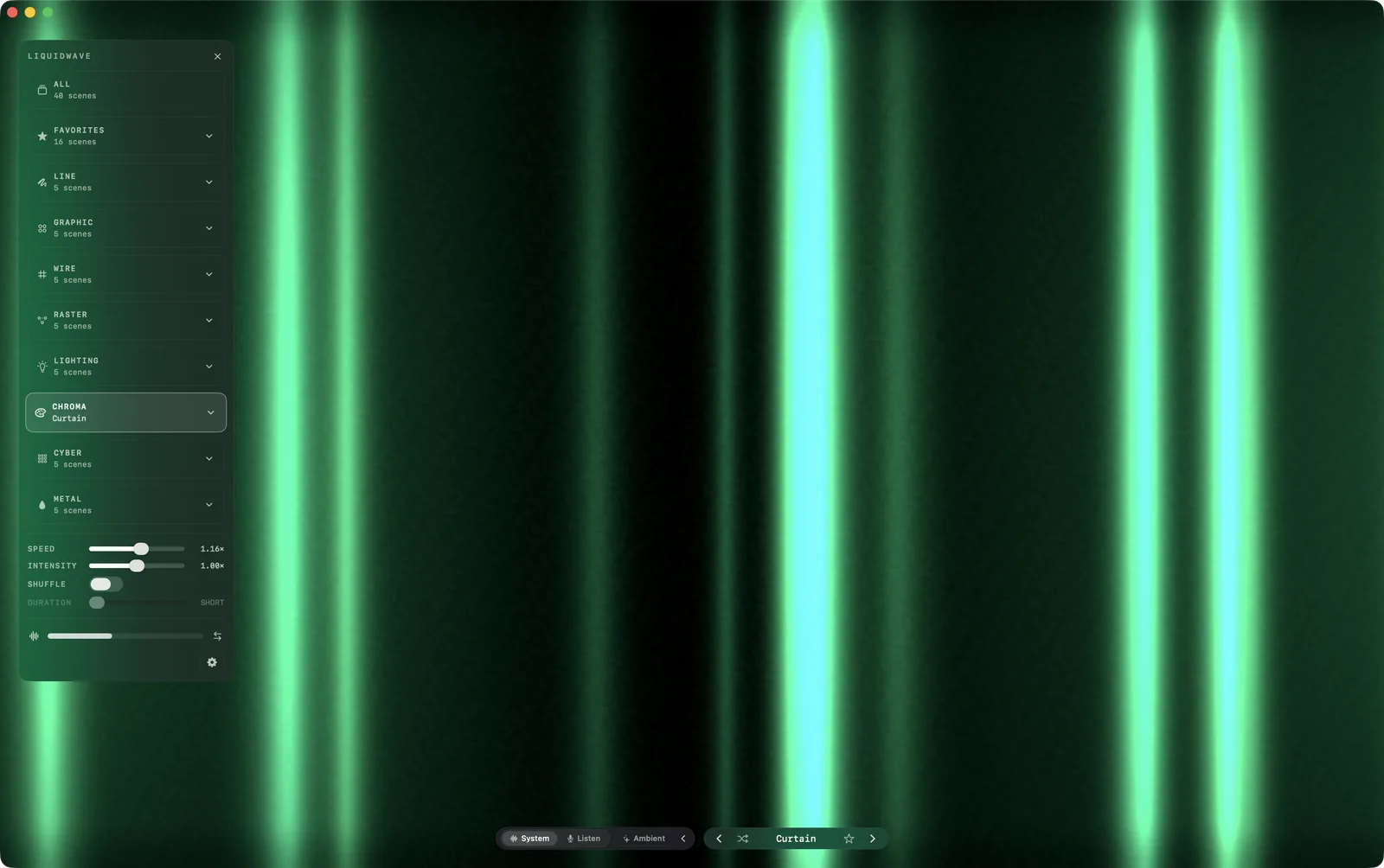
How it hears Spotify
LIQUIDWAVE doesn't use Spotify's API, and it never asks for your Spotify login. It listens to the audio your Mac is playing, through the system-audio capture built into macOS since version 14.2. That is why it works with the Spotify desktop app and with the web player in a browser tab alike.
Leave the source switch at the bottom of the window on System. There are no virtual audio drivers to install, no cables to reroute and nothing to set up inside Spotify. macOS asks once for permission to record system audio, and from then on whatever Spotify plays is visible.

The audio is analyzed on your Mac as it plays and discarded straight away. Nothing is recorded, nothing is uploaded, and there is no account.
Turn Spotify down, and the picture doesn't shrink
System-audio capture hears a player after its own volume slider. With Spotify at half volume, or turned down because you are listening on headphones, the sound arrives far below full level. LIQUIDWAVE runs it through a leveler first. The leveler only ever raises the level: quiet playback is brought up toward a steady level, full-volume playback passes through untouched, and the silence between tracks stays silent. The scenes read a quiet Spotify the way they read a loud one.
It reads the music, not just the volume
Many visualizers react to a single number, how loud the music is right now. LIQUIDWAVE splits Spotify's output into seven frequency bands on every frame it draws, from the sub-bass under a kick drum to the air above the cymbals. It catches each beat as it lands, picks out the kick, the snare and the hi-hat, and locks to the tempo within a few bars. Every scene is tuned to particular parts of that picture, so a bassline moves one thing and a hi-hat another.
Forty scenes in eight styles
- Line: waveforms and contour lines, after Peter Saville and the CP 1919 pulsar plot.
- Graphic: op art, halftone dots, Chladni figures and solids.
- Wire: wireframe seas and rolling relief that rise with the bass.
- Raster: point clouds, particles and data drawn as an image.
- Lighting: stage lights, laser sheets and haze.
- Chroma: auroras, curtains and slow fields of color.
- Cyber: neon grids and retro-futuristic horizons.
- Metal: liquid chrome, foil and iridescent surfaces.
Wave is always free, and the first time you open the app you pick one more of the other thirty-nine, also free and with no time limit. The rest unlock inside the app with one purchase.
The song, under your notch
Spotify tells the Mac every time the track changes. On a MacBook with a notch, LIQUIDWAVE shows the song in a small Now Playing island below it, with the cover, and adds the progress bar and playback controls when you connect Spotify.
Behind your icons
Spotify doesn't need a window to be seen. Desktop Mode plays the visualizer behind your desktop icons while you work, on every screen you choose.
Set it up in three steps
- Download LIQUIDWAVE and drag it to your Applications folder. It is signed and notarized by Apple.
- Open it and allow system audio recording when macOS asks.
- Press play in Spotify. Leave the source on System.
When it doesn't see Spotify
Spotify Connect is playing somewhere else. If the Spotify app on your Mac is controlling a speaker, a phone or a TV, the music isn't coming out of the Mac, so there is nothing for system audio to hear. Switch to Listen Mode, which hears the room through the microphone, and LIQUIDWAVE follows the speaker instead.
The permission prompt was dismissed. macOS shows it only once. If the scene sits still while music plays, open System Settings → Privacy & Security, allow LIQUIDWAVE under Screen & System Audio Recording (on older versions of macOS, Microphone), then switch the source off and on again in the app. Support walks through it.
macOS 14.2 or later · notarized by Apple · free
Questions
- Does Spotify have a built-in visualizer?
- No. Spotify's desktop app, web player and phone apps have no visualizer, and Canvas loops are videos that don't respond to the audio. On a Mac, a system-audio visualizer such as LIQUIDWAVE is how you get one.
- Do I need to connect my Spotify account?
- No. LIQUIDWAVE listens to your Mac's audio output, so it doesn't use Spotify's API and never sees your account or login.
- Does it work with Spotify Free?
- Yes. It visualizes whatever your Mac plays, on any Spotify plan.
- Does it work with the Spotify web player?
- Yes. Play Spotify in a browser tab and leave the source on System.
- Is LIQUIDWAVE free?
- The download is free and includes two scenes, Wave and one you pick, with no time limit. One purchase inside the app unlocks the other thirty-eight.