LIQUIDWAVE for Mac · Features
LIQUIDWAVE 1.1: two new styles and playlists of your own.
Updated 7 October 2026
LIQUIDWAVE 1.1 for Mac adds two styles, Fluid and Spectral, and new scenes in five of the others, so the set now runs to 60+ scenes in ten styles. It also brings playlists of your own, Mix Shuffle, a Shuffle that goes round every scene once, and a reorganized Styles panel. The download is free, and if you already have it, the app offers the update itself.
Two new styles
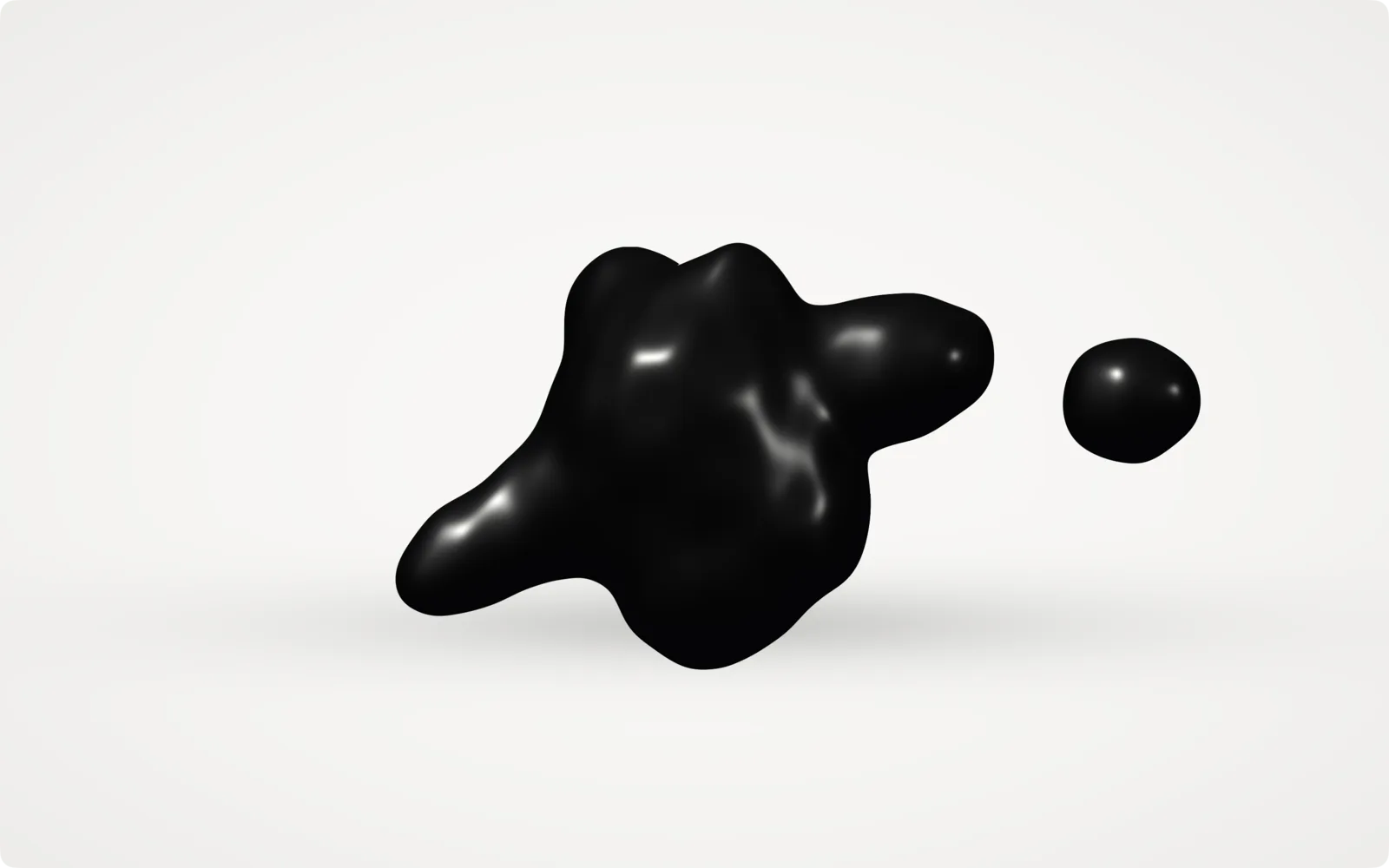
Fluid is liquids that heave, drip and bounce to the music: Ferrofluid, Water, Lava, Honey, Jelly and Slime. Ferrofluid is a body of black magnetic liquid on white paper. The low end and the beat swell its heart, and every drum hit throws out an arm; a hard one lets the end go as a drop that hangs and rejoins. Lava is a lava lamp that runs faster in a louder passage. Honey drips a bead on every drum hit. Jelly squats on the beat and springs back up. In every one, the sound moves the liquid, never the light.
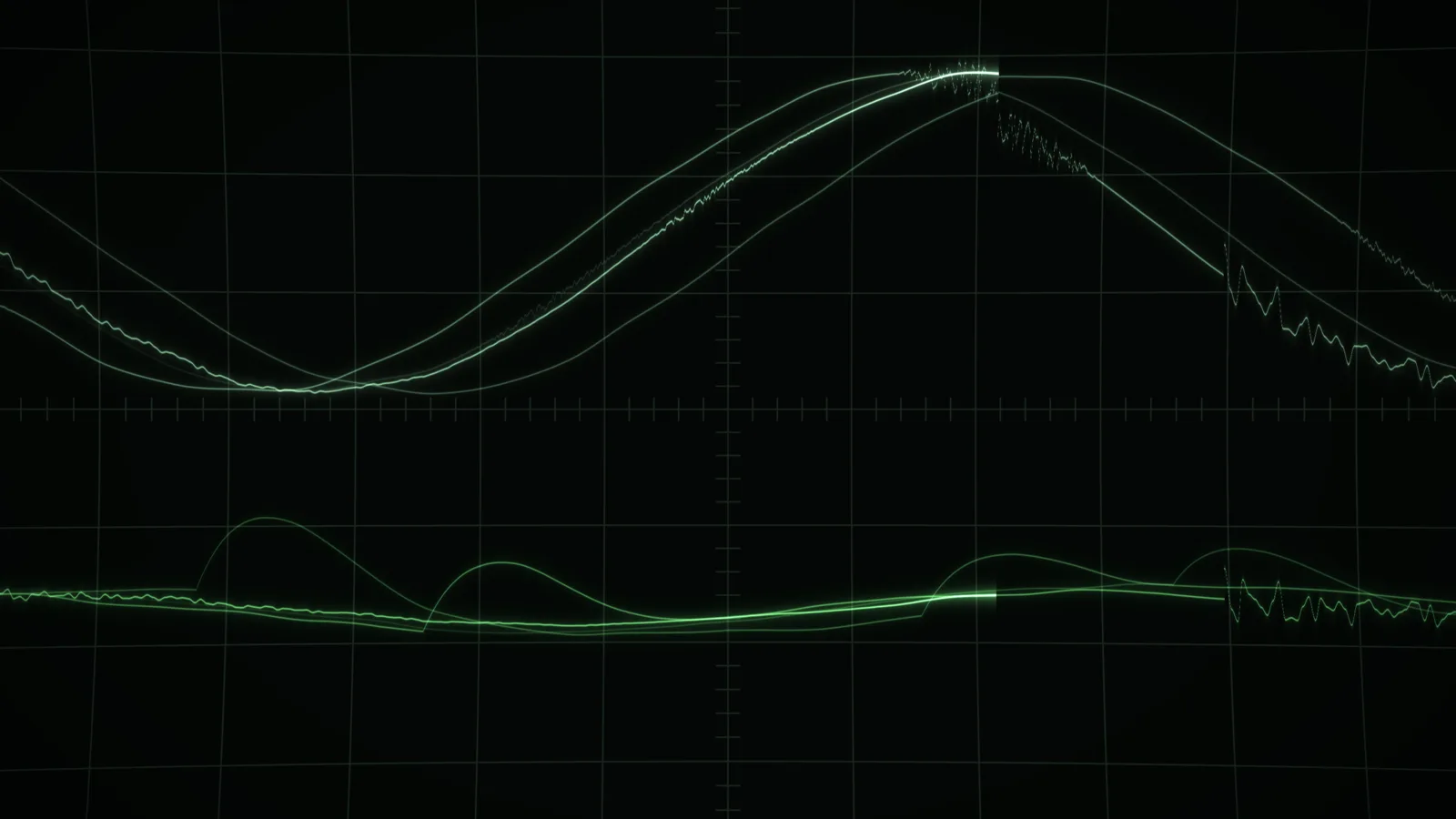
Spectral is scenes drawn from a finer reading of the sound than the rest of the set uses: Dipole, Feedback, Lathe, Granular, Scope, Signal, Warp and Atom. The renderer now keeps a spectrum of 64 pitch bands, from 40 Hz to 16 kHz, with about four seconds of history, and these scenes answer it pitch by pitch, with the kick, the snare and the hats each doing something different. In Atom every orbit is a pitch: a sounding note lights its orbits and swells them, and the hats flare electrons running round them. Scope is a two-channel green-phosphor oscilloscope with the music's waveform on the upper trace.
New scenes in the other styles
The other styles gained new scenes too:
- Line: Strings, a row of taut hairlines the kick and the snare pluck, and Lissajous, an oscilloscope in XY mode. Solids moved here from Graphic, and now folds from one solid into the next, swelling and tumbling on the beat.
- Graphic: Faraday, the standing waves of a shaken liquid printed in ink, and Vega, a checkerboard that swells out of the canvas with the low end.
- Wire: Membrane, a drumhead ringing in its modes, Tunnel, a wireframe tube the music flows away down, and Ribbon, a Möbius strip of hairlines.
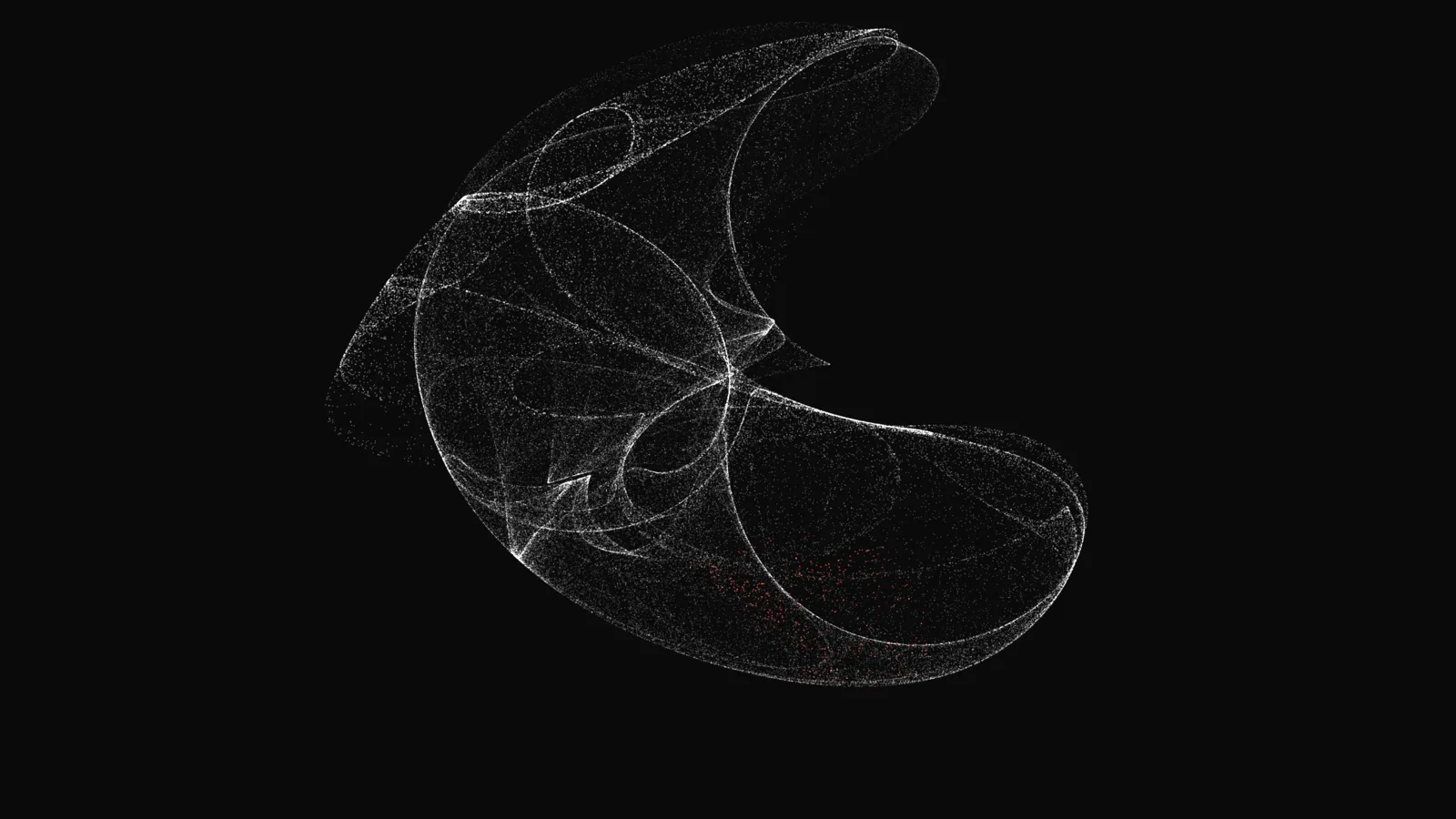
- Raster: Helix, a double helix of points, Radar, a sweeping scope over the spectrum, Attractor, a strange attractor drawn in points, and Orbit, a globe of points the bands push out.
- Metal: Dent, a steel plate the drums dent, and Chrome, a monochrome slab of liquid metal.
The Styles pages walk through each style and its scenes.
Playlists of your own
Scene playlists are your own collections of scenes, in the order you choose. Add a scene from ⋮ on its row in the Styles panel, or from the + beside the star at the bottom of the window, and pick a playlist or start a new one. The editor groups the catalog by style, so you can fold away the styles you aren't adding from. A playlist plays in its saved order, or shuffled with Shuffle on. Scene playlists has the details.
Mix Shuffle
Mix Shuffle picks scenes for the song that is playing. With System Audio on Apple Music or Spotify, LIQUIDWAVE reads the track's title, artist and album, works out its genre, energy, mood and texture with Apple Intelligence on the Mac, and shuffles the ten scenes that fit it best, from any style. Nothing leaves the Mac. Connect from the Mix Shuffle row and start it with its play button. Mix Shuffle explains how it chooses.
Shuffle goes round once
Shuffle now plays every scene in the collection once before any comes round again, whether the collection is all scenes, a style, Favorites, a playlist or Mix Shuffle. The arrows either side of the scene name at the bottom of the window, and ← / → on the keyboard, step back and forth through what played, the way a music app's previous and next do. In a collection that still holds locked scenes, the arrows step through it in order instead, so the locked ones stay in reach.
A tidier Styles panel
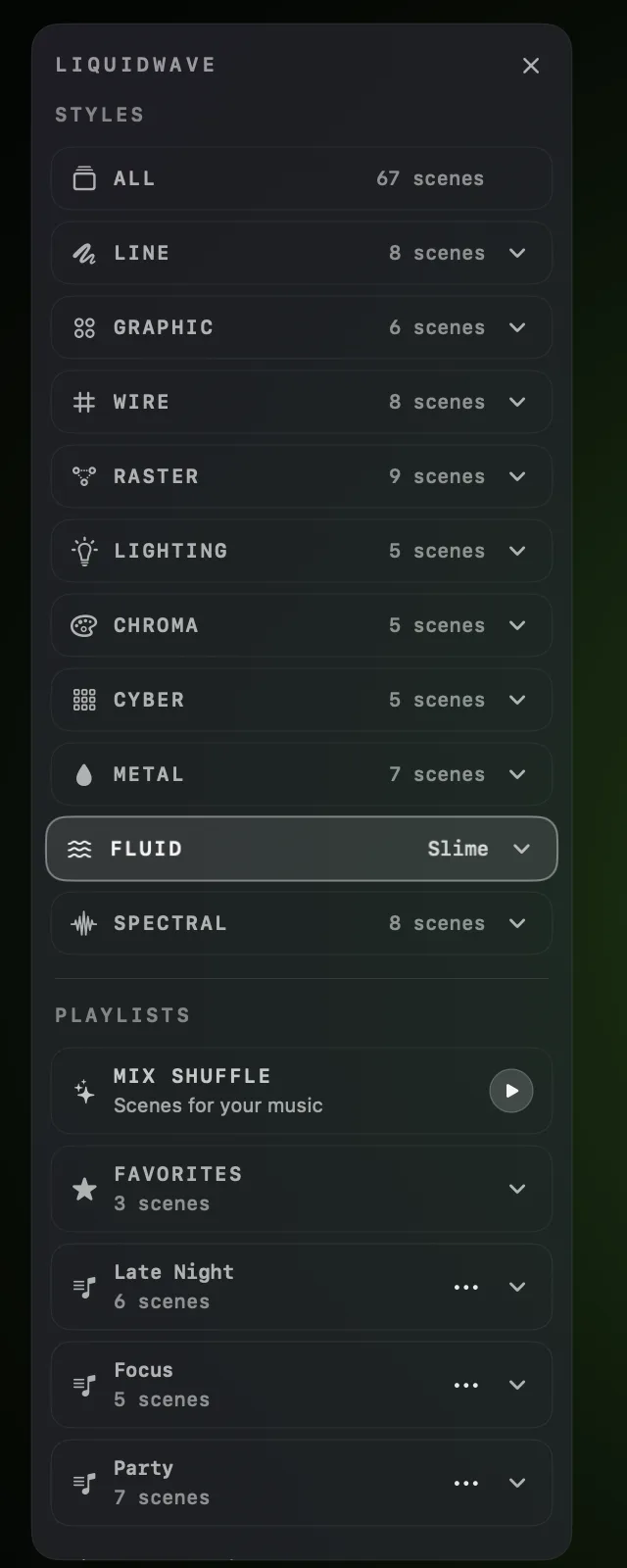
The panel is now grouped into STYLES, PLAYLISTS and CONFIG, with each style on one line beside its scene count. It opens from its button, with ↑ / ↓, with a click where it sits, or when you keep the pointer moving there for a few seconds. Clicking inside it no longer closes it.
Smaller changes
- The Now Playing island: click or drag its progress bar to seek. Scrolling on it opens and closes the card under your fingers, and the pointer stays visible above it.
- Metal's color: the Metal scenes turn their color slowly with the upper mids, over a second or two. Only the hue moves; the brightness holds, and no beat or drum hit reaches the color. Color Field's hue no longer jumps on the beat, and Waveline's crests stay inside the window at a high Intensity.
- The icon is in Apple's Icon Composer format, drawn natively on macOS 26 and later. Earlier versions of macOS show the same artwork in the older format.
- The Welcome Tour lets you try styles and scenes for two minutes in total. When the time runs out, the scene on screen becomes your free pick.
The full release notes list every change.
What it doesn't do
Mix Shuffle needs a Mac that runs Apple Intelligence, on macOS 26 or later with Apple Intelligence turned on, and System Audio listening to Apple Music or Spotify. Its row isn't there in Listen Mode or Ambient Auto, or on a Mac without Apple Intelligence, and it doesn't read a browser tab. It judges a track by its title, artist and album, not by its sound, and when it can't place one it falls back to the regular Shuffle.
Mix Shuffle only picks from scenes you own. On the free tier that is Wave and your pick, so it has two scenes to choose between.
Playlists are part of the full unlock. Favorites stays free. Playlists are kept on the Mac they were made on and don't sync between devices.
Seeking in the island needs a connected player. It works where the island's controls do: Spotify or Apple Music once you have connected it, and YouTube in a connected Chromium browser.
Getting 1.1
If you downloaded LIQUIDWAVE from this site, it checks for updates once a day by default and offers 1.1 when it finds it. To fetch it now, choose LIQUIDWAVE → Check for Updates…. Your pick, your Favorites and your settings carry over.
If you are new, download it free. Wave and one scene you pick play without paying, and one purchase unlocks the rest, inside the app.
macOS 14.2 or later · notarized by Apple · free
Questions
- How do I update to LIQUIDWAVE 1.1?
- If you downloaded LIQUIDWAVE from this site, it checks for updates once a day by default and offers 1.1. To fetch it now, choose LIQUIDWAVE → Check for Updates…. Your pick, your Favorites and your settings carry over.
- Is LIQUIDWAVE 1.1 free?
- The download is free. It plays Wave and one scene you pick, and one purchase inside the app unlocks every other scene and scene playlists. Shuffle, Mix Shuffle and the Now Playing island work on the free tier with the scenes you own.
- Which Macs run Mix Shuffle?
- Macs that run Apple Intelligence, on macOS 26 or later with Apple Intelligence turned on. It also needs System Audio as the source, playing Apple Music or Spotify. On other Macs the Mix Shuffle row doesn't appear, and Shuffle works as before.
- Are scene playlists free?
- Playlists are part of the full unlock. Favorites, the list your starred scenes go into, stays free.
- What does LIQUIDWAVE 1.1 need?
- A Mac with macOS 14.2 or later, as before. Mix Shuffle alone needs macOS 26 or later with Apple Intelligence.