LIQUIDWAVE for Mac · Features
An AI music visualizer for Mac that picks scenes for each song.
Updated 7 October 2026
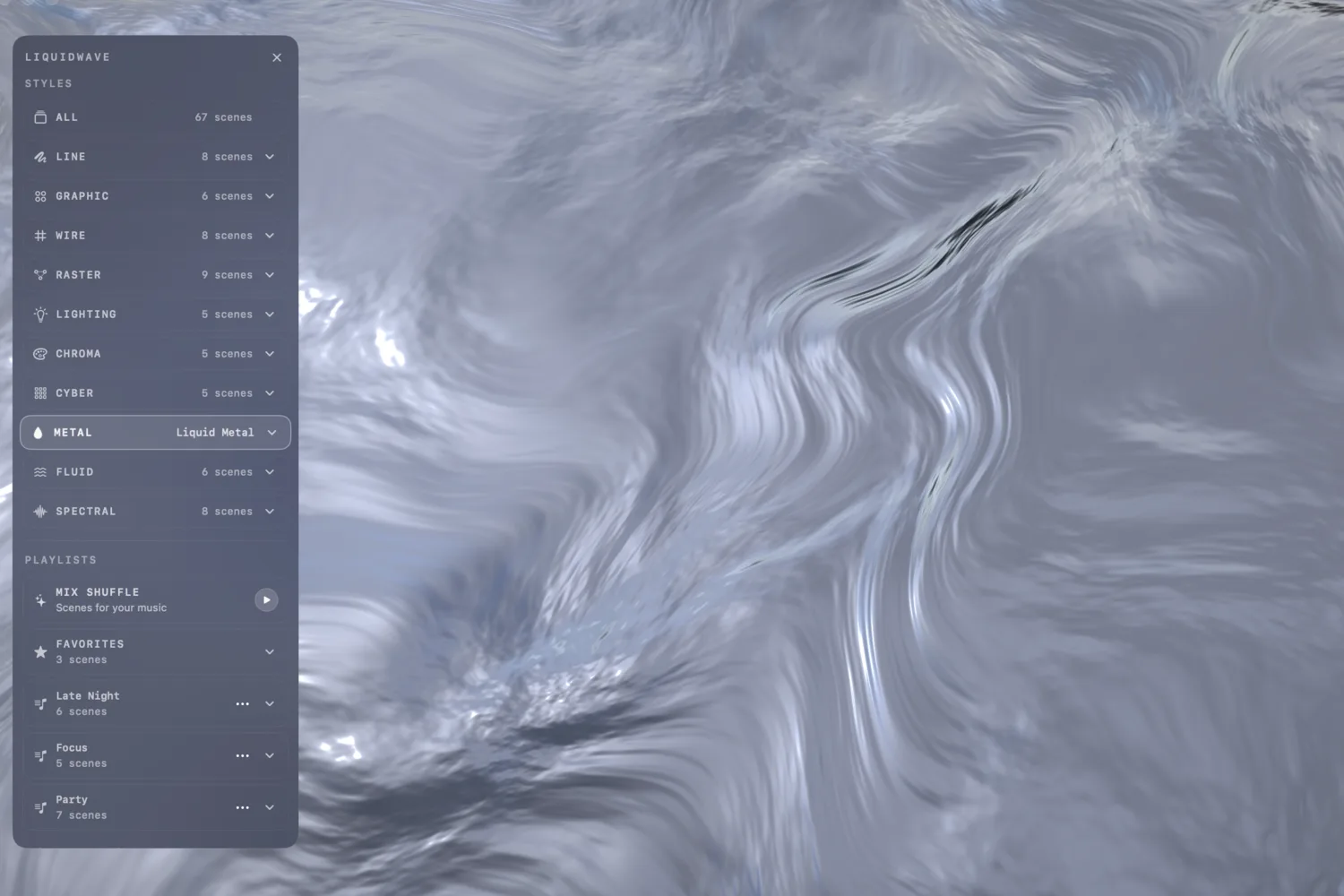
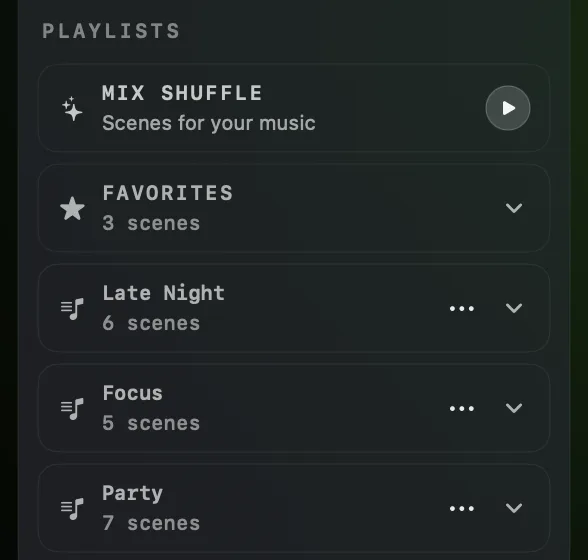
Mix Shuffle turns LIQUIDWAVE into an AI music visualizer for your Mac. It reads the song playing in Apple Music or Spotify, asks the Apple Intelligence model on your Mac what kind of track it is, and shuffles the scenes that suit it, from any style. When the song changes, the scenes change with it. It sits at the top of PLAYLISTS in the Styles panel, as MIX SHUFFLE, "Scenes for your music".
How it picks the scenes
Mix Shuffle reads three things from the player: the title, the artist and the album. It asks the model two questions about them. The first is the genre, one of eleven: post-punk, rock, pop, hip hop, R&B and soul, EDM, IDM, ambient, jazz, classical or folk. The second is how the track feels: its energy (low, medium or high), its mood (dark, melancholic, calm, dreamy, warm, bright, euphoric or aggressive) and its texture (acoustic, electric, electronic or orchestral).
Every scene carries the energies, moods, textures and genres it suits, written from what the scene looks like and how it moves. LIQUIDWAVE scores each scene you own against the track. Genre and mood count most, then energy, then texture. The ten best go into the shuffle, whichever style they come from, and a scene that matches nothing is left out.
So a genre is not a fixed set of scenes. In our tests, Debussy's Clair de Lune came back classical, low, calm and acoustic, and Wagner's Ride of the Valkyries classical, high, dark and orchestral. Same genre, different scenes. The same track always gets the same ten, and two tracks that read alike still differ wherever scores tie. One scene is kept for one genre: Pulsar, the stacked lines of a pulsar's signal, comes up in Mix Shuffle only for post-punk.


Scenes that follow the song
Clicking MIX SHUFFLE turns Shuffle on. The scenes change at the Duration set under CONFIG, and each of the ten plays once before any comes round again. A new track takes the model a few seconds. While it works, the row reads "Choosing scenes for this track…" and what was playing carries on. Once the answer is in, the row reads "Playing scenes inspired by this track", and if the scene on screen isn't among the new ten, it moves to one that is. Pause the music and the row reads "Music paused — holding this scene" until you play again. While it runs, the row shows the cover, the title and the artist.
What it needs
- A Mac with Apple Intelligence, on macOS 26 or later, with Apple Intelligence turned on and its model ready. Without it, the row doesn't appear.
- System Audio as the source. With Listen or Ambient chosen, the row is hidden.
- The Music app or Spotify's desktop app, playing the track.
Starting it
Click the row or its play button. The first time, a small panel asks which app to use and offers a Connect button for each one installed, Apple Music or Spotify. Press Connect and macOS asks once whether LIQUIDWAVE may control that app. That is the Automation permission, the same one the Now Playing island uses, so a player you have already connected there is ready here too. If you decline, the panel points you to System Settings → Privacy & Security → Automation. After that, a click starts it. With both apps open, it takes the one that is playing, and asks when it can't tell.
Nothing asks before you click. ↑ and ↓ step through ALL, the styles, Mix Shuffle, Favorites and your playlists, and stop on Mix Shuffle only when it can start without asking, so a key press never raises a permission prompt. To leave, choose any other row. Switch the source to Listen or Ambient and Mix Shuffle steps back to the collection you came from, with the scene on screen left as it is.
What stays on your Mac
The model gets the title, the artist and the album, and nothing else: no audio, no cover. It runs on your Mac, so the track's details are not sent to Apple or to any other AI service. The answers are kept in memory while LIQUIDWAVE runs and are gone when it quits, and LIQUIDWAVE keeps no listening history.
Mix Shuffle reads the player itself every three seconds, so it works with Now Playing switched off, and then it starts none of the island's lookups. The one download it makes is the cover of a Spotify track, from the image address Spotify's app supplies.
How it fits with Shuffle and playlists
Shuffle plays the collection you are in, whether ALL, a style, Favorites or a playlist, and visits each scene once per round. Mix Shuffle is a collection that rebuilds itself for every track. Playlists keep the scenes you chose, in your order, and are part of the full unlock. Mix Shuffle chooses for you.
It has no lock of its own: it chooses from the scenes you own. In the free download that is Wave and the one scene you picked, and a track that suits neither plays your regular shuffle. One purchase unlocks the rest, inside the app, and then Mix Shuffle chooses from 60+ scenes in ten styles.
What it doesn't do
It doesn't listen to decide. The genre and the feel come from the title, artist and album, not from the sound. A well-known recording gets its own reading. A lesser-known one usually gets its artist's, and a recording the model doesn't recognize, or one it takes more than 20 seconds over, plays your regular shuffle, and the row says "Playing your regular shuffle". In our tests on 68 well-known recordings, the model placed the genre of 58 where a listener would. Whatever it picks, the scenes still move to the audio itself.
The AI doesn't draw. Every scene is a shader written for LIQUIDWAVE, drawn live from the sound. The model only chooses which ones play. It is not a video generator.
It reads two players. The Music app and Spotify's desktop app. A web player in a browser, YouTube, Tidal and other apps aren't read, though System Audio still hears them. Mix Shuffle follows the player it connected to, so when that player pauses while something else plays, it holds the scene.
Protected Apple Music streams stay still. macOS silences DRM-protected Apple Music streams for every capture app. Mix Shuffle can still read the track and pick its scenes, but they hear silence and stand still. Listen Mode hears those streams through the microphone, but Mix Shuffle needs System Audio.
macOS 14.2 or later · notarized by Apple · free
Questions
- Does Mix Shuffle send my music to a server?
- No. The track's title, artist and album go to the Apple Intelligence model on your Mac, and the audio never goes to the model at all. The only download is the cover of a Spotify track, from the address Spotify's app supplies.
- Why is there no MIX SHUFFLE row on my Mac?
- The row appears on macOS 26 or later with Apple Intelligence turned on and its model ready, while the source is System Audio. With Listen or Ambient chosen, it is hidden.
- Does Mix Shuffle work with YouTube or a web player?
- No. It reads the Music app and Spotify's desktop app. The visualizer still hears a browser through System Audio, so Shuffle and playlists work there as usual.
- Why does the row say "Playing your regular shuffle"?
- The model didn't recognize the track, took more than 20 seconds, or none of your scenes suit it. Mix Shuffle then shuffles the collection you were in before, and tries again on the next track.
- Is Mix Shuffle in the free version?
- Yes. It has no lock of its own and chooses from the scenes you own, Wave and the one you picked on the free plan. One purchase inside the app unlocks the rest, and Mix Shuffle then chooses from all of them.