LIQUIDWAVE for Mac · Features
A visualizer that keeps moving without music.
Updated 15 September 2026
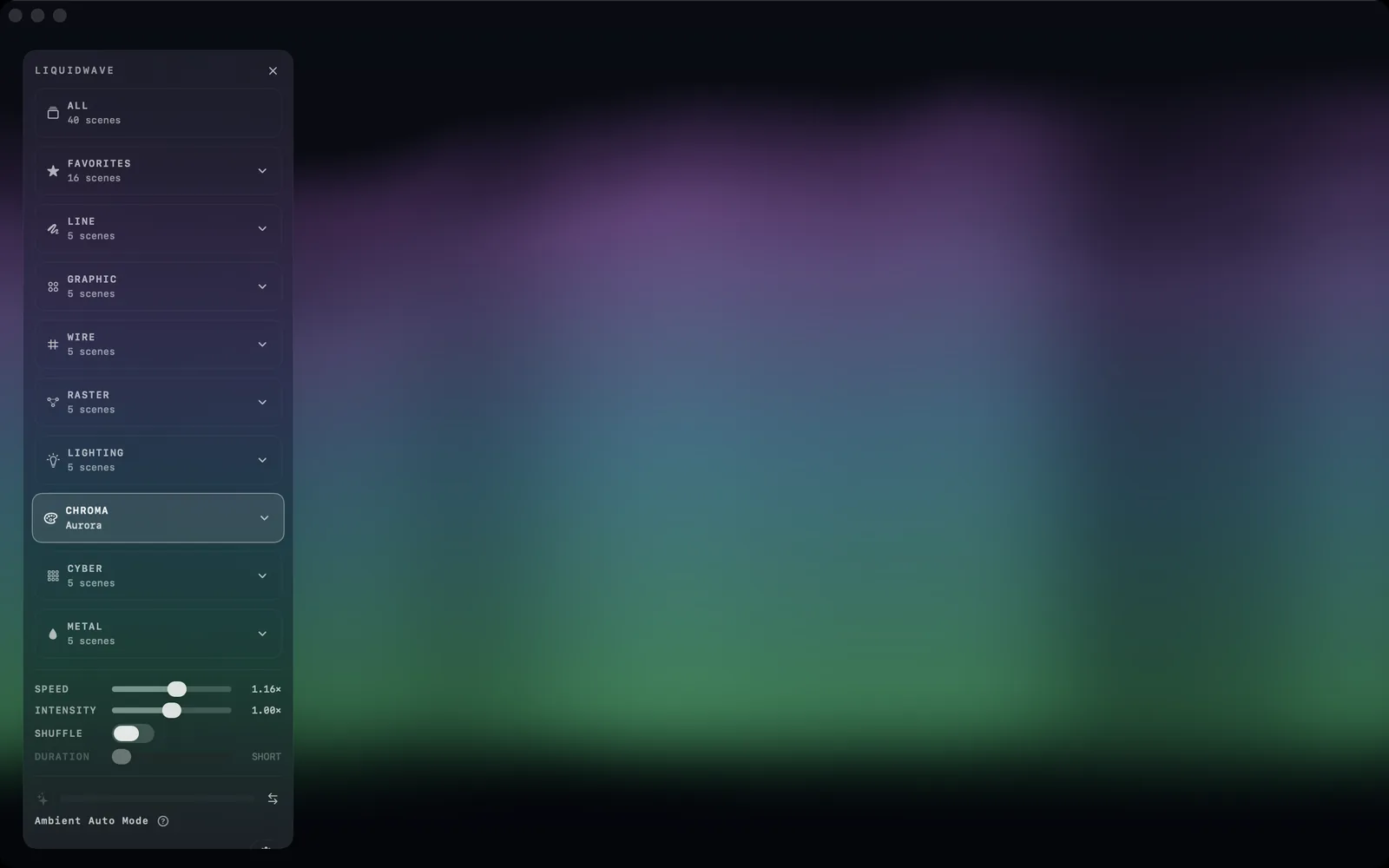
A visualizer with nothing to hear usually stops. LIQUIDWAVE plays Ambient Auto instead: while no audio source is running, the scenes move to a score the app writes as it goes, so the picture keeps its rhythm with no music on. It is on from the first launch, and the moment a source starts, live sound takes over.
When it plays
Ambient Auto plays only while no source is running on the Mac:
- Before a source has started, including the welcome tour on first launch.
- When a source fails to start. LIQUIDWAVE stops the old input before it opens a new one, so a start that fails leaves nothing running.
- When you choose Ambient in the source switch.
The rule behind it is simple: live audio always wins. A source that is running but silent, System with the player paused or Listen in a quiet room, keeps the scene still rather than filling the gap. There is no "start after a few seconds of silence". A still picture means the running source hears nothing, and the gap between two records stays a gap.
The one exception is the welcome tour, where the score also stands in for a running source that hears only silence, so the tour always has something to show.
What the score is
The score isn't a recording, and it isn't a synthesizer. Nothing comes out of your speakers. It writes the skeleton of a track directly in the terms LIQUIDWAVE's analysis produces from real music: seven band levels, a beat grid, and a kick, snare and hat. Those values pass through the same smoothing as live audio, so every scene moves in the language it already speaks for music, with no idle animation of its own.
Each piece is built like a short dance track:
- A tempo between 60 and 84 BPM, drawn fresh for every piece.
- Six sections: an intro with pads and no kick, a groove, a break, a build, a drop and an outro, each 16 or 32 beats long, with the energy eased across every boundary.
- Kicks four on the floor or in a two-step, a snare on 2 and 4, hats on the off-beats and a chord swell every two bars.
- Band levels where real music puts them, with the bass reaching for each kick and the air near its floor.
A piece runs 128 beats, from about a minute and a half at 84 BPM to just over two minutes at 60, and the next one starts with a newly drawn tempo and kick pattern. Each time Ambient Auto is switched on, it starts a new score rather than resuming the old one mid-drop.
The score runs on the wall clock. The Speed slider changes how fast the scenes move, not the tempo of the piece. The band onsets come from the same detector that reads live audio, and Shuffle keeps counting the score's beats, so it still changes scenes while nothing plays.
Handing back to live sound
Switch to System or Listen, and the score stops as soon as the source is running. Both paths feed the same smoothing, so the picture glides into the live signal rather than cutting.
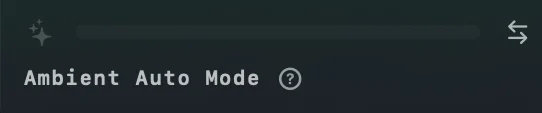
The sidebar shows which one is driving. While the score plays, the level meter dims, the bar empties, and a caption reads Ambient Auto Mode. Hover over its question mark for the explanation: "No audio source is running, so the scenes move to a generated score instead of standing still. Live sound takes over the moment a source starts — pick System Audio or Listen Mode."
Choosing Ambient yourself
Ambient is also a source on the Mac, next to System and Listen. Pick it when you want the scenes moving without any input, between records or with the room empty.
- The source switch at the bottom of the window has Ambient as its third option.
- The menu bar icon has Ambient Auto — No Input under Source.
- Settings → General → Launch source can start LIQUIDWAVE on Ambient Auto every time.
Choosing Ambient stops every input, so nothing is captured, and it plays the score even with the automatic switch turned off, because you asked for it. Going back to System or Listen hands the decision back to that switch.
The switch in Settings
Ambient Auto lives in Settings → General, under Audio, and starts out on. Turn it off, and with no source running the scene eases to rest the way it did before Ambient Auto existed. Choosing Ambient in the source switch still plays the score.
Every place LIQUIDWAVE draws shares the same frame, so Desktop Mode and When you're away follow the score too.
What it doesn't do
It doesn't make sound. The score is a stream of numbers for the scenes. Your speakers stay silent.
It doesn't fill silence under a running source. A paused player or a quiet room keeps the picture still. Choose Ambient when you want motion between songs.
It doesn't know your music. Each piece is generated from a random seed, and nothing you played before shapes it.
It has one character. The score keeps to a slow 60 to 84 BPM, and there is no setting beyond on and off.
Try it
- Download LIQUIDWAVE and open it.
- Choose Ambient in the source switch, or from the menu bar icon.
- Play music and switch back to System when you want the scenes to follow it.
macOS 14.2 or later · notarized by Apple · free
Questions
- Does Ambient Auto play sound?
- No. The score is a stream of band levels, beats and drum hits for the scenes. Nothing plays through your speakers.
- Why does the scene stand still when my music is paused?
- A running source keeps the score out even while it hears silence, so a still picture means the source hears nothing. Choose Ambient in the source switch when you want the scenes to keep moving.
- How do I turn Ambient Auto off?
- Turn off Ambient Auto in Settings → General, under Audio. With no source running, the scene then eases to rest. Choosing Ambient as the source still plays the score.
- Does Ambient use the microphone or system audio?
- No. Choosing Ambient stops every input, so LIQUIDWAVE captures nothing until you switch back to System or Listen.
- Is Ambient Auto in the free version?
- Yes. It comes with the free download and plays the scenes you own, Wave and the one you picked. One purchase inside the app unlocks the rest.